
Settings
Software Updates
How A Better Finder Rename checks for and installs updates with Sparkle, how to check manually, and how to set the interval to daily, weekly, monthly or never.
A Better Finder Rename checks at regular intervals whether a new version is available on the website. When there is one, it asks whether you want to install it; if you accept, the update is downloaded and installed automatically. This is the easiest way of staying up to date with the latest releases.
The feature uses the Sparkle framework and never installs anything without asking first.
Checking for updates manually
Choose A Better Finder Rename 12 › Check for Updates… at any time, or click Check for Updates Now in the
Software Updates tab of the Settings window.
Configuring the update interval
- Choose
A Better Finder Rename 12›Settings… - Select the
Software Updatestab
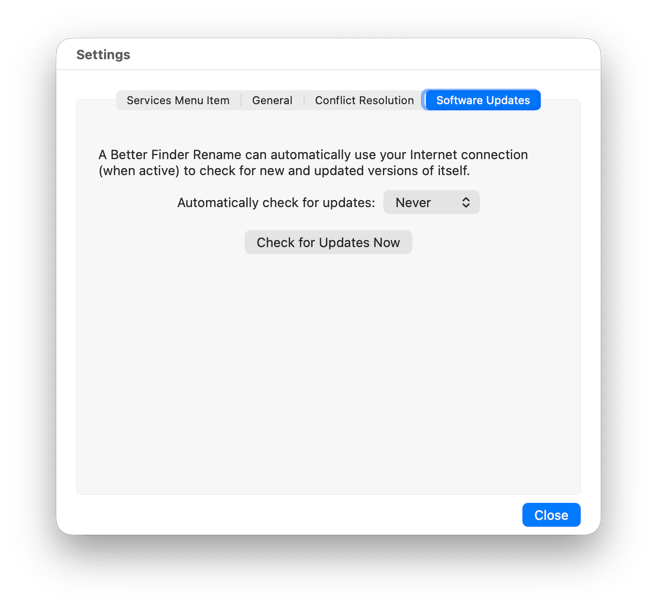
Automatically check for updates: sets how often the check runs: Daily, Weekly, Monthly or Never. Choosing
Never switches the automatic check off; the manual check keeps working.
Mac App Store edition
The Mac App Store edition, Better Rename, has no update check of its own. The App Store application delivers its
updates, automatically or from its Updates tab, depending on your App Store settings.