Nifty File Lists reads the details of your files — names, dates, sizes and deep photo, video & audio metadata — and typesets them into finished documents: paginated PDF manifests, Excel-ready CSV, tidy printable listings.
All on your Mac. Nothing ever leaves it.
From the makers of
A Better Finder Rename·A Better Finder Attributes·Big Mean Folder Machine
Trusted Mac file-management tools since 1996 — used by photographers, lawyers, archivists and IT departments.
Scenario 01 — the handoff
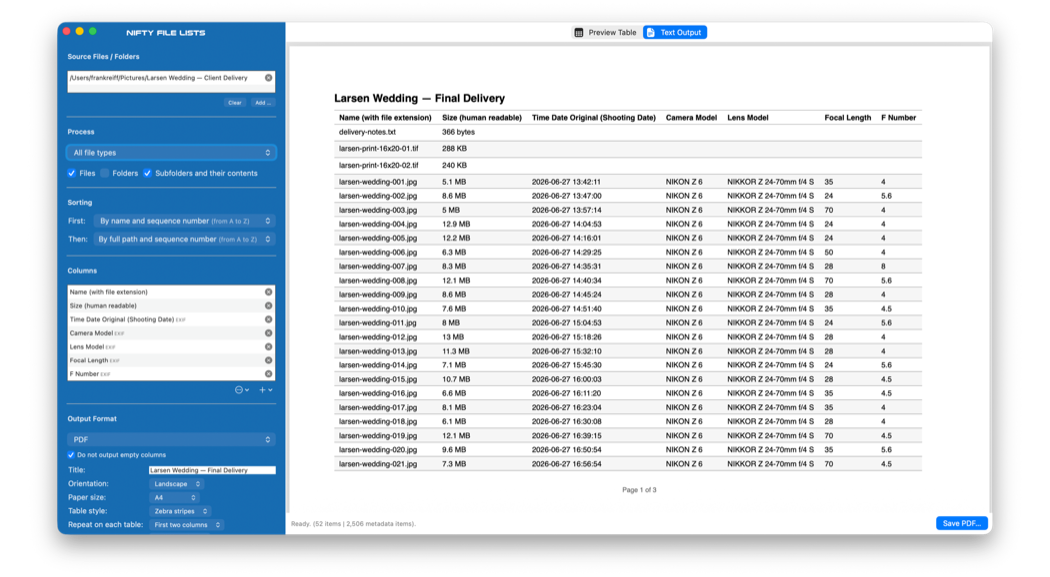
Save a paginated PDF manifest that documents exactly what's in the folder — a proper document, not a data dump.
Nifty File Lists produces a real document: a paginated PDF with a title, repeating column headers on every page and continuous "Page X of Y" numbering.
Every manifest carries a provenance stamp: the source folder, the number of files, the number of columns and the date the list was generated. That's the difference between a data dump and a record you can hand to someone and stand behind.
And when the contents themselves must be provable — chain-of-custody, archive fixity, transfer verification — add per-file checksum columns. Regenerate the manifest later, or against the recipient's copy: matching hashes show every file is byte-for-byte unchanged.
Scenario 02 — the fifty-column export
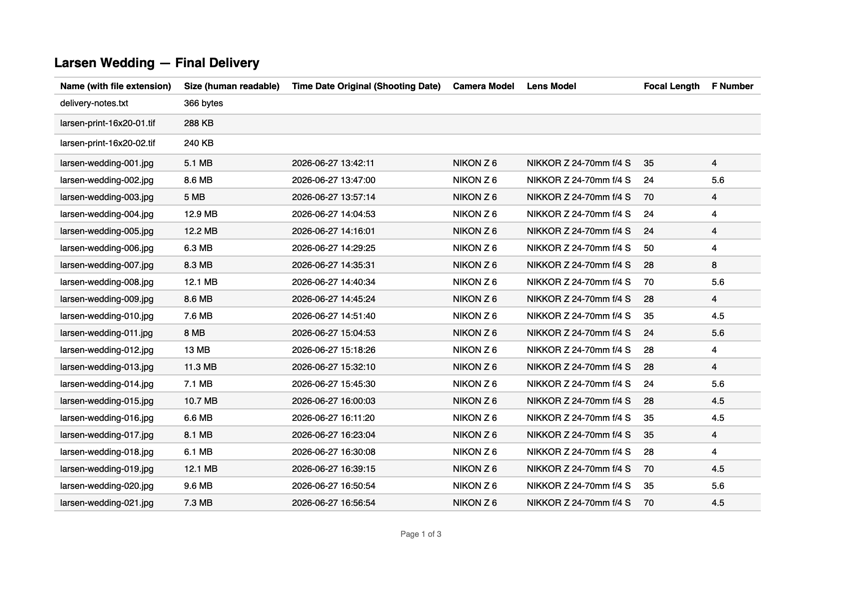
Export fifty columns elsewhere and you get eight — with no warning about the rest. Nifty File Lists never truncates your data.
If the columns don't fit, it narrows them intelligently, then steps the font down, and — only if the table is still too wide — splits it into sequential tables, repeating your identifying columns on each one so every row stays traceable. Long paths wrap; they don't disappear.

| Typical file-list exporters | Nifty File Lists | |
|---|---|---|
| Columns that don't fit the page | silently cut off | never dropped — narrowed, scaled or split, always complete |
| Where the list came from, and when | not recorded | provenance stamp on every document |
| Columns with no data | dozens of empty columns dumped in | left out automatically |
Scenario 03 — folder to Excel
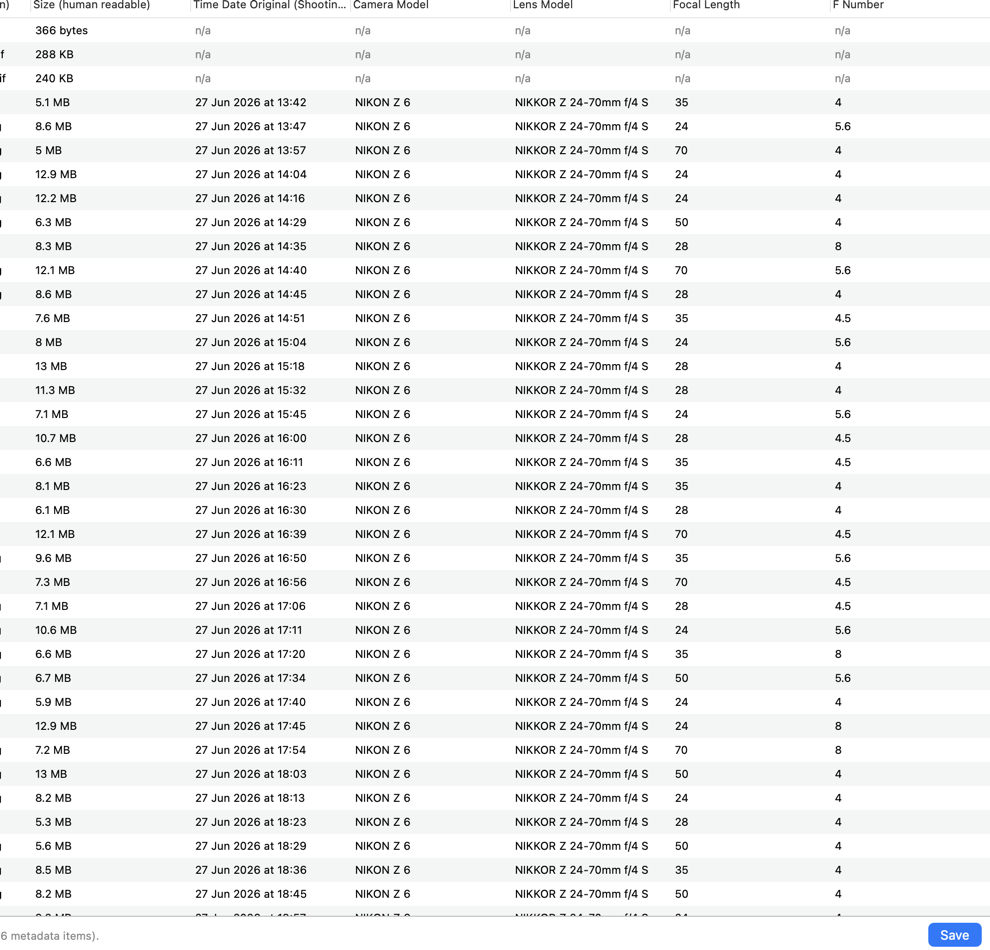
CSV and tab-separated exports open cleanly in Excel, Numbers, statistics packages and databases. Or paste straight from the clipboard into an open sheet.
Pick exactly the columns you want, arrange them in any order, and save your favourite combinations as column sets you can recall with one click. The interactive preview fills in while the metadata engine is still working, and the output preview shows the exact file you are about to save.
Beyond names, paths, sizes and every timestamp your Mac tracks: document titles and authors, photo capture date, camera, lens, exposure and GPS, audio and video codecs and durations. A multi-threaded Swift engine handles folders of hundreds of thousands of files without breaking a sweat.
Scenario 04 — on paper, at last
On paper, in an email, or in a plain .txt right next to the files on a backup drive.
The plain-text format aligns every column in neat fixed-width layout, right-aligns the numbers and rules off the header — ready for any monospaced context. Prefer paper with page numbers? Print the PDF manifest instead.
Name (with file extension)  Size (human readable)  Time Date Original (Shooting Date) (EXIF)  Camera Model (EXIF)
--------------------------  ---------------------  -----------------------------------------  -------------------
larsen-wedding-001.jpg      5.1 MB                 2026-06-27 13:42:11                        NIKON Z 6
larsen-wedding-002.jpg      8.6 MB                 2026-06-27 13:47:00                        NIKON Z 6
larsen-wedding-003.jpg      5 MB                   2026-06-27 13:57:14                        NIKON Z 6
larsen-wedding-004.jpg      12.9 MB                2026-06-27 14:04:53                        NIKON Z 6
…                           …                      …                                          …
larsen-wedding-048.jpg      6.2 MB                 2026-06-27 21:06:04                        NIKON Z 6

----------------------------------------
Provenance
Folder: /Users/frankreiff/Pictures/Larsen Wedding — Client Delivery · 52 items · generated 20 August 2026 at 11:58 CEST · 7 columns
Every format you need—PDF manifest·Plain text·CSV·TSV·Excel via clipboard·HTML·Markdown·JSON
Everything you need for defensible file lists — and nothing else.
Title, repeating headers, "Page X of Y", provenance stamp on every document.
Opens perfectly in Excel and Numbers. Empty columns left out automatically.
Spotlight, EXIF, IPTC, GPS, audio & video — capture dates, cameras, lenses, codecs, durations.
Aligned plain text and print-ready PDFs that stay readable in black-and-white.
Multi-threaded Swift engine — hundreds of thousands of files, responsive throughout.
Your files and file lists never leave your Mac. No cloud, no accounts, no telemetry.
Because "just list the files" turns out to be the kind of job you only notice when it goes wrong. The delivery memo that missed two files. The discovery list with the truncated columns nobody spotted. The insurance inventory that was really a screenshot.
We've built Mac file-management tools since 1996 — A Better Finder Rename for renaming, A Better Finder Attributes for timestamps, Big Mean Folder Machine for reorganizing. Nifty File Lists is the same idea applied to reporting: one tool that does the unglamorous thing properly, with the details — pagination, provenance, checksums, never-truncated tables, clean CSV — handled the way a Mac app should handle them.
Collections sprawl across drives, backups and cloud archives. Build a catalog of what lives where: which photos were shot with which lens and when, which masters are uncompressed, which files moved to the archive drive. Filter the scan to just images, video, audio, documents or everything else, and export the catalog in whatever format your workflow needs.
Download the free trial, point it at a folder, and watch the preview build.
Single User, Family, Small Business, Business and Enterprise licenses, as well as discounted and forever upgrades, are exclusively available in our own web store — with a 30-day no-questions-asked money-back guarantee.
macOS 13 Ventura or later · macOS 26 Tahoe & macOS 27 Golden Gate compatible · Intel & Apple Silicon · free trial that never expires, no account
Running an older Mac? Version 1.22 supports macOS 10.14 Mojave – 15 Sequoia.