Photo Date Changer for Mac & Windows
Looking for a photo date changer for your Mac? A Better Finder Attributes batch-corrects the
EXIF shooting dates of JPEG, RAW & video files, fixes camera clock and time zone
mistakes, and syncs file dates to photo dates so your pictures sort correctly — for a handful of
photos or for entire collections in one go.
A note on Photo Date Changer for Mac: our Mac App Store-only mini edition has been
retired and is no longer for sale. It was a cut-down version of A Better Finder Attributes that only changed
photo dates. A Better Finder Attributes is the full tool it was carved out of — same developer, actively
maintained, and fully compatible with the latest versions of macOS. If you are a Photo Date Changer user, see
the legacy section below.
On Windows? Photo Date Changer is alive and well as a native Windows app:
Photo Date Changer for Windows batch-corrects
JPEG & RAW EXIF shooting dates with a free trial.
Change EXIF Shooting Dates at Will
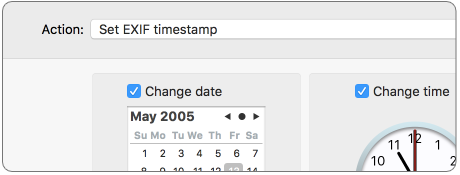
Set the EXIF timestamps of JPEG, RAW & video files to a specific date and time, or batch-adjust them by
adding or removing time. A Better Finder Attributes writes the shooting date straight into the files
themselves, so every photo manager sees the corrected dates.
Fix Camera Clock & Time Zone Mistakes
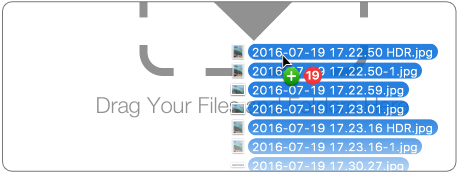
Forgot to reset your camera's clock after traveling, or shot an event with multiple cameras that disagreed
about the time? Drag & drop your photos, preview the new dates, and shift the whole shoot by the same
offset in a single batch operation.
Fix Finder Sorting of Photos
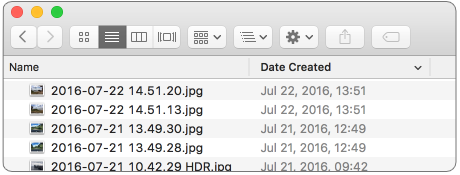
The Finder sorts by file dates, not by shooting date. Synchronize the file creation date with the EXIF
shooting date and your photos finally sort in the order they were taken.
File Creation & Modification Dates Too
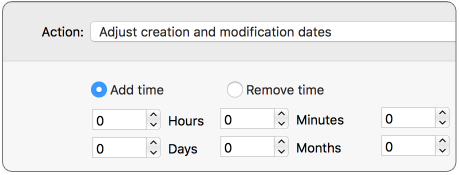
Unlike photo-only tools, A Better Finder Attributes also gives you total control over file creation and
modification dates — set them to a specific time, shift them, or copy the shooting date into them.
Download the Free Trial
Step-by-Step Guides
Not sure which date needs changing? These free guides walk you through the most common situations: